DM Workbench

Features

Build your world, prep your sessions, run the table.

Everything here serves one goal: your story, ready when your players sit down.

The canvas

Your whole campaign on one canvas.

1

Sixteen card typesCharacter, place, faction, item, event, creature, encounter, mechanic, handout, read-aloud, DM note, story hook, reference table, note, picture and nested canvas.

2

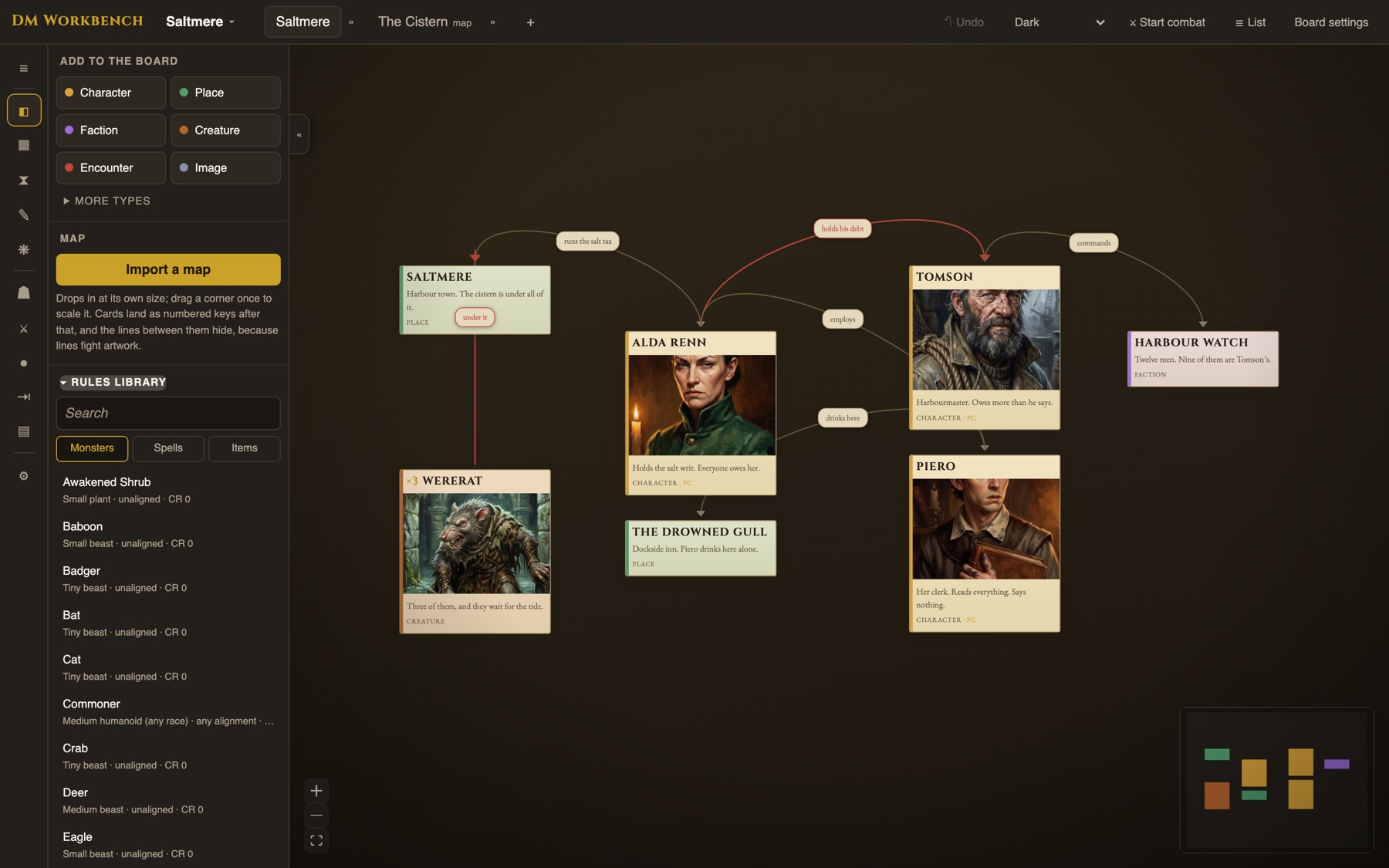
Write on the line itself“Boyhood rivals, Tomson hates Mortimus” says more than either card it joins. A hostile line draws red.

3

Rearrange without fearCards live in the campaign. Taking one off a canvas deletes nothing. A card dropped behind a picture comes back to the front with one click.

4

Canvases nestAny card can open one. Saltmere the place opens Saltmere the map. Drew the map first? Attach it to the card afterwards.

5

Set the look per canvasTitle cards in eleven typefaces, any size and colour. A text size for each canvas. On a map, a key you can scale.
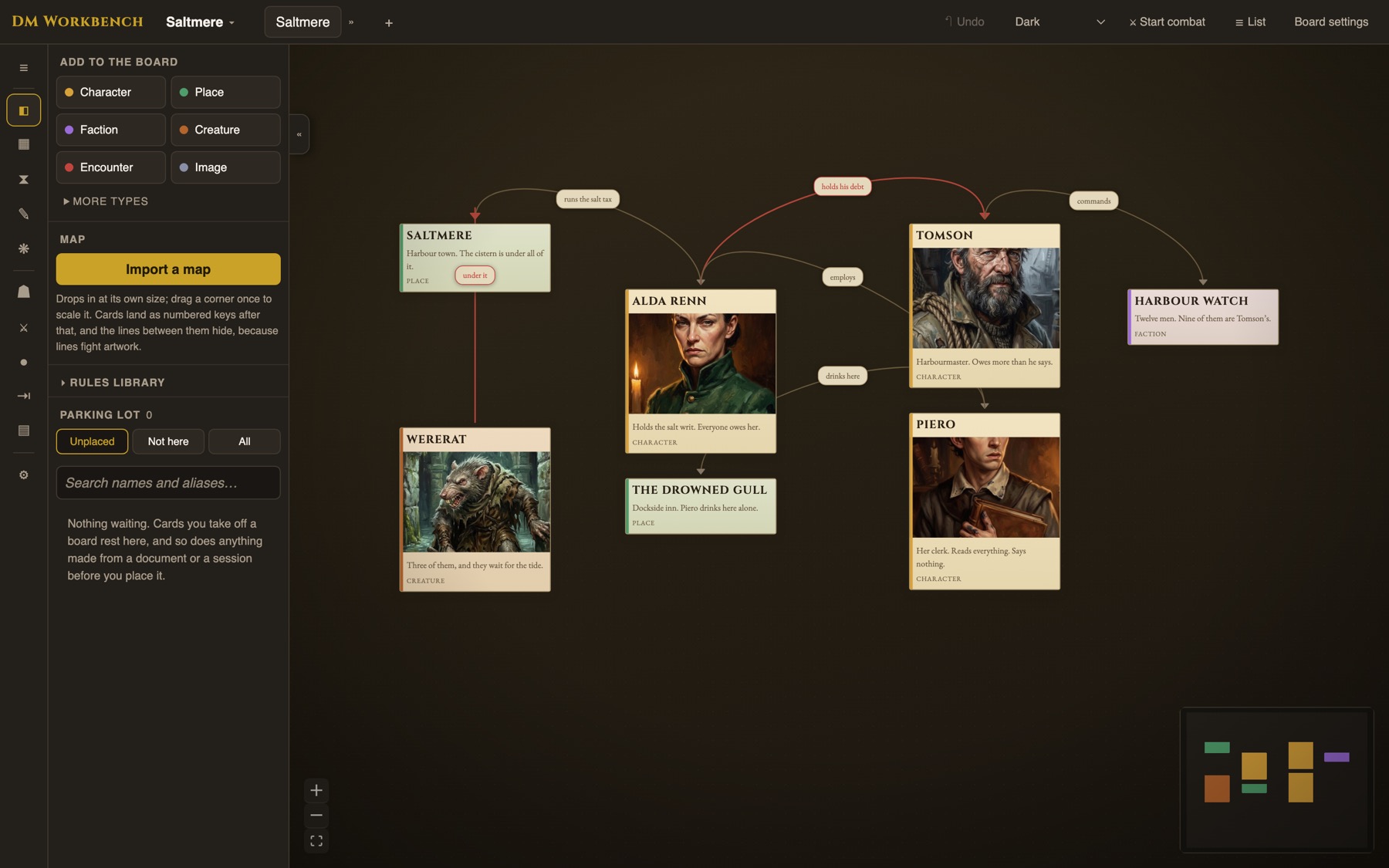
A canvas of linked cards
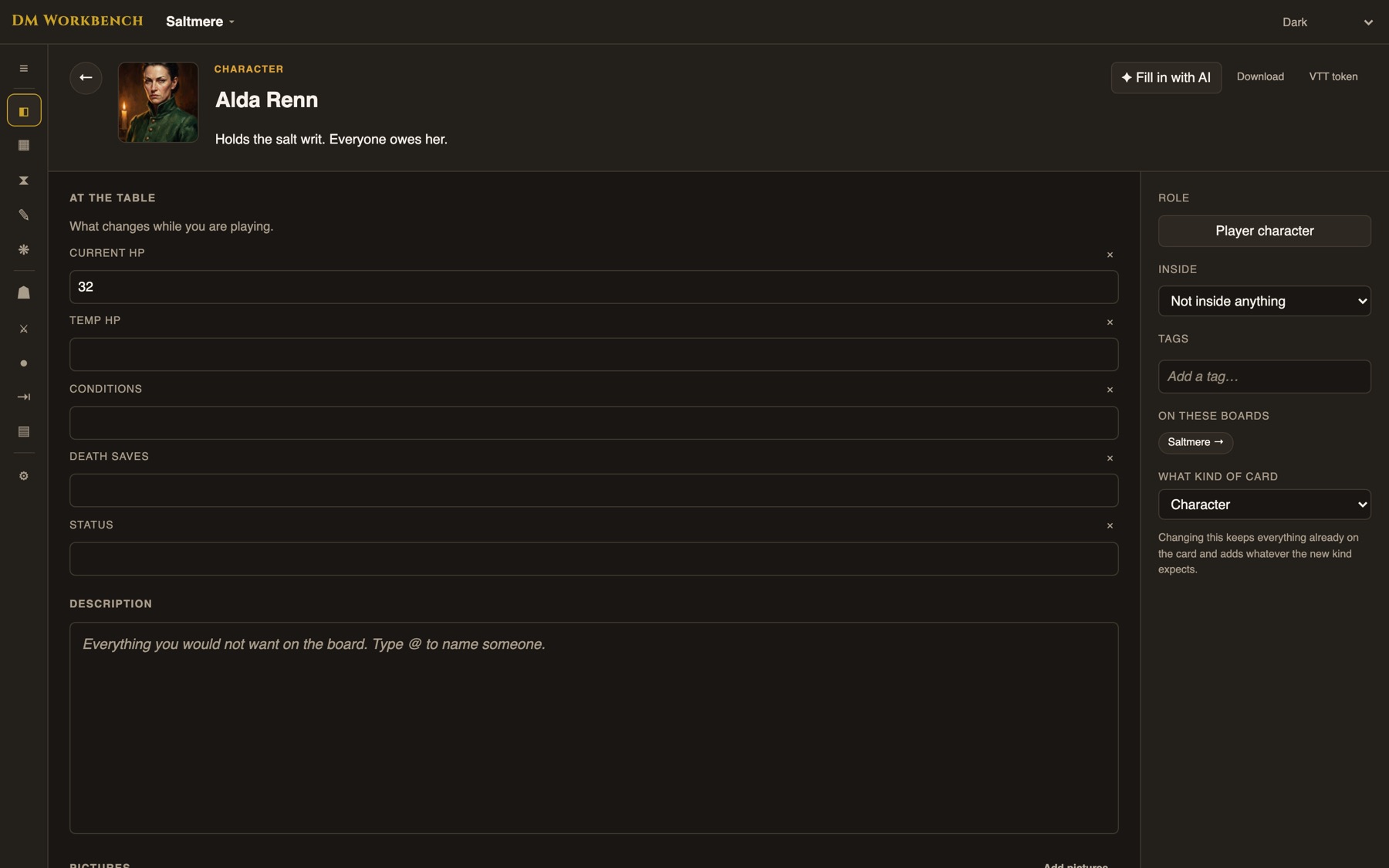
A character’s document

The card, opened

Open a card and its whole story is inside.

1

Rename once, it updates everywhereType @ to mention any card. Rename Algernon and every sentence he appears in follows.

2

No retypingA faction lists its members and enemies automatically. A place lists what is inside it. A character gets the system’s sheet.

3

Names become connectionsAnyone mentioned with no line on the canvas yet is offered as a one-click connection.

4

Every number is yours to changeStart a creature from a library entry, then edit its actions, traits, speed, saves and immunities on that card alone. The book’s version stays one click away. A character built from a monster works the same way.

5

Reference tablesImport a table from a rulebook or type your own. The whole table shows on the canvas, and you can show it to the players when the roll is theirs.

6

Encounters hold the loot tooDrop the items into the encounter beside the creatures.

Brainstorm

Brainstorm with an AI agent that knows your campaign.

1

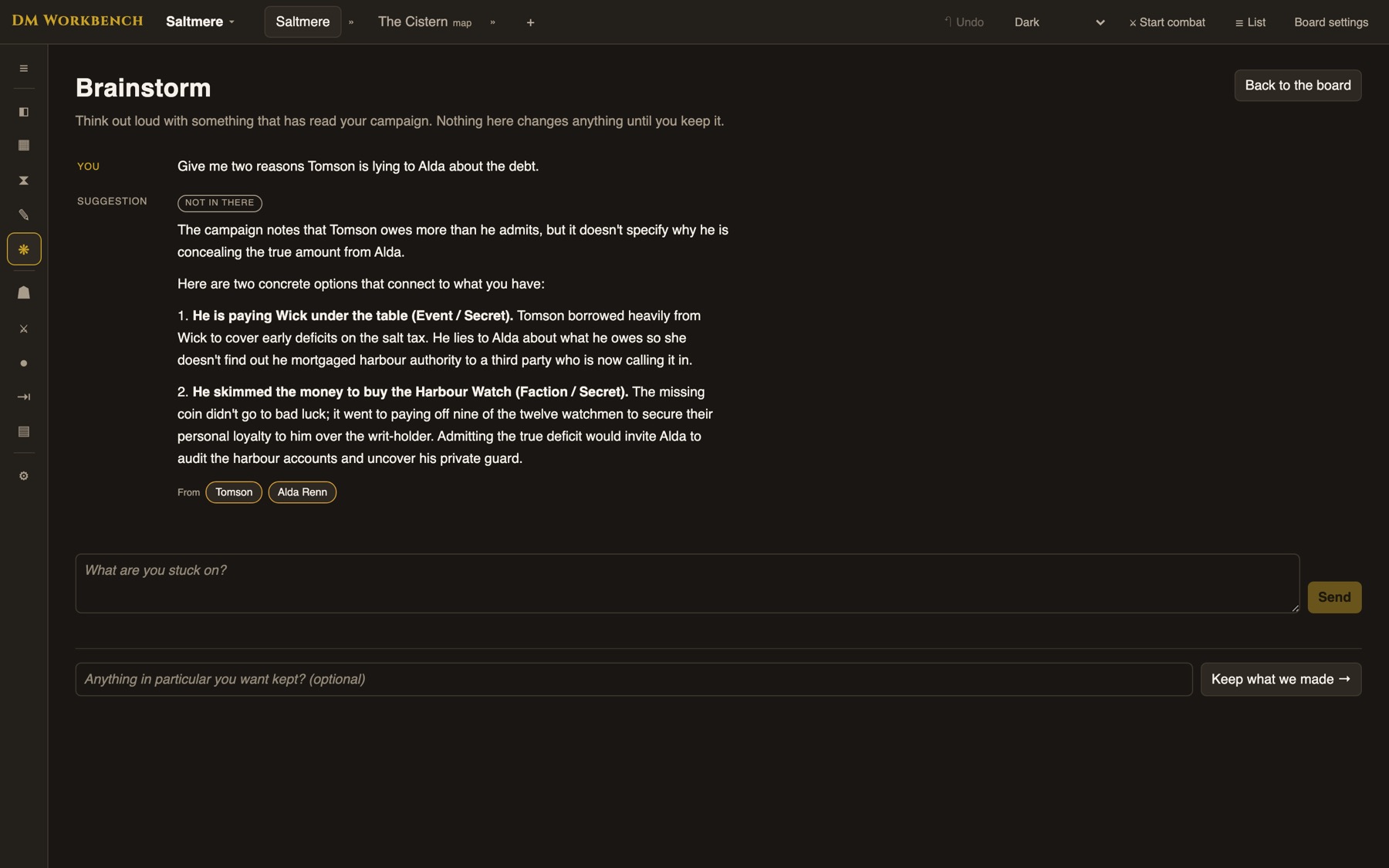
Answers show their cardsA sentence resting on your campaign carries chips for the cards it rests on. An invention carries none.

2

“Not in there” is an answerWhen the campaign does not say, it tells you that instead of making something up.

3

Nothing writes until you keep itCommitting produces a list you tick through. Cards made this way are ordinary cards.

Brainstorm answering with citations
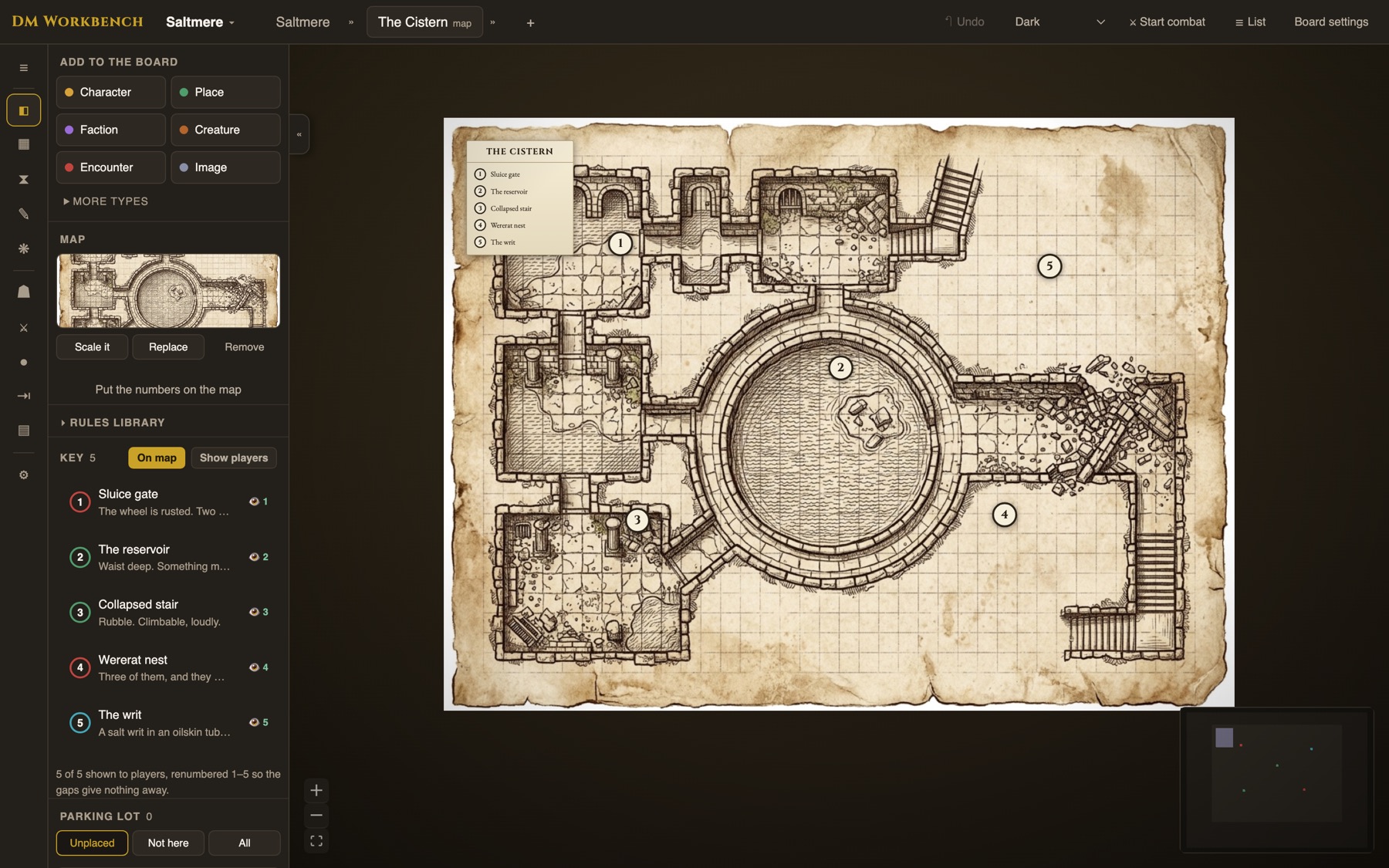
A keyed map with a legend

Maps

Make your maps interactive.

1

Every room is a pinOpen a pin and the room’s card is right there. The legend can sit on the map itself.

2

Lettering that looks the partRegion, settlement and wilderness labels, set in your campaign’s typefaces.

3

Works when the wifi does notThe lettering travels with the map, so it survives the venue’s connection.

4

Renumber, and nothing movesTidy on a map renumbers the keys in reading order, top to bottom and left to right. Every encounter stays on its spot.

Pictures

Every card gets art, all in one style.

1

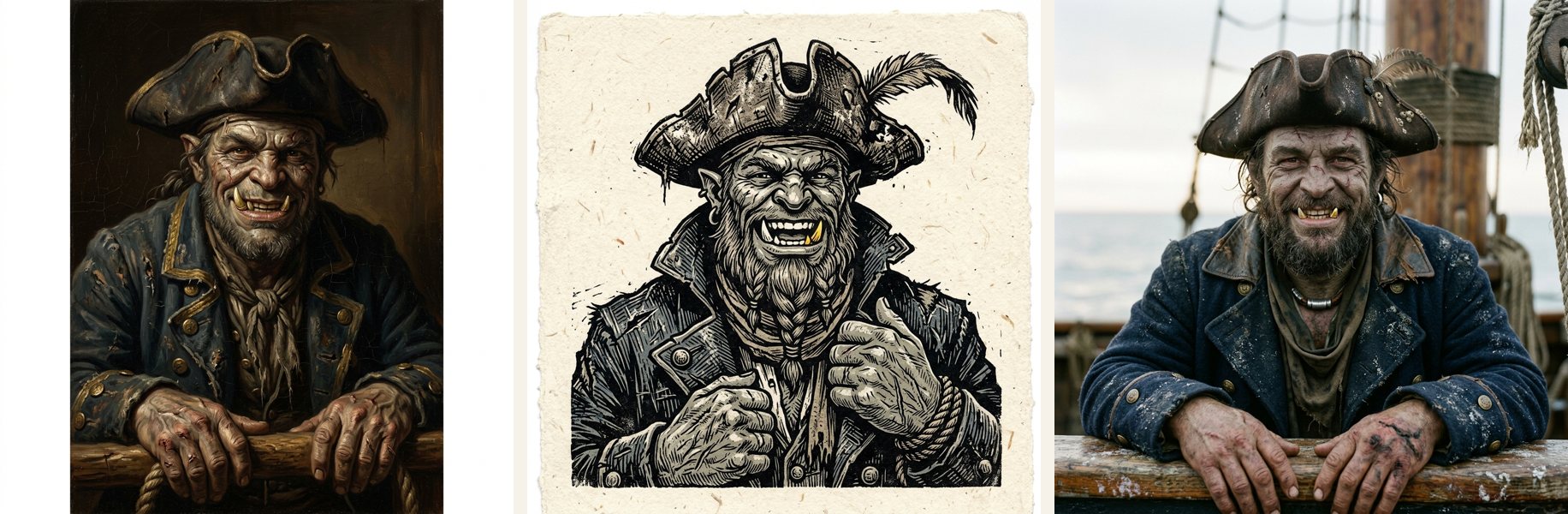
Twenty-three styles, or your own wordsOld-master oil, woodcut, Shadowdark ink, cyberpunk neon and nineteen more, chosen from samples of the same three characters drawn in every one. Or write the style yourself.

2

One look across the campaignPortraits, creatures, places, faction symbols and the cover are all painted the same way. Change the style and redraw whichever you like.

3

You read the prompt firstIt’s built from the card’s own description. Nothing is sent until you’ve seen the words and pressed Generate.

4

A faction’s symbol in one pressDrawn from the faction’s name and description as a flat emblem, no figures.

The same character in three art styles

Rules libraries

Seven rules libraries, one drag away.

Drag a monster onto the canvas and its full statistics come with it. A goblin’s statistics follow it into each campaign you run.

SystemMonstersSpellsEquipment
D&D 5.1 SRD334319237
D&D 5.2 SRD331339182
Pathfinder 2e1,2091,4604,121
Starfinder 2e243419453
Tales of the Valiant360316552
Basic Roleplayingthe engine behind Call of Cthulhu7496193
Blades in the DarkForged in the Dark SRD42 abilities · 12 actions

Only openly licensed content ships.

The rules library in the rail
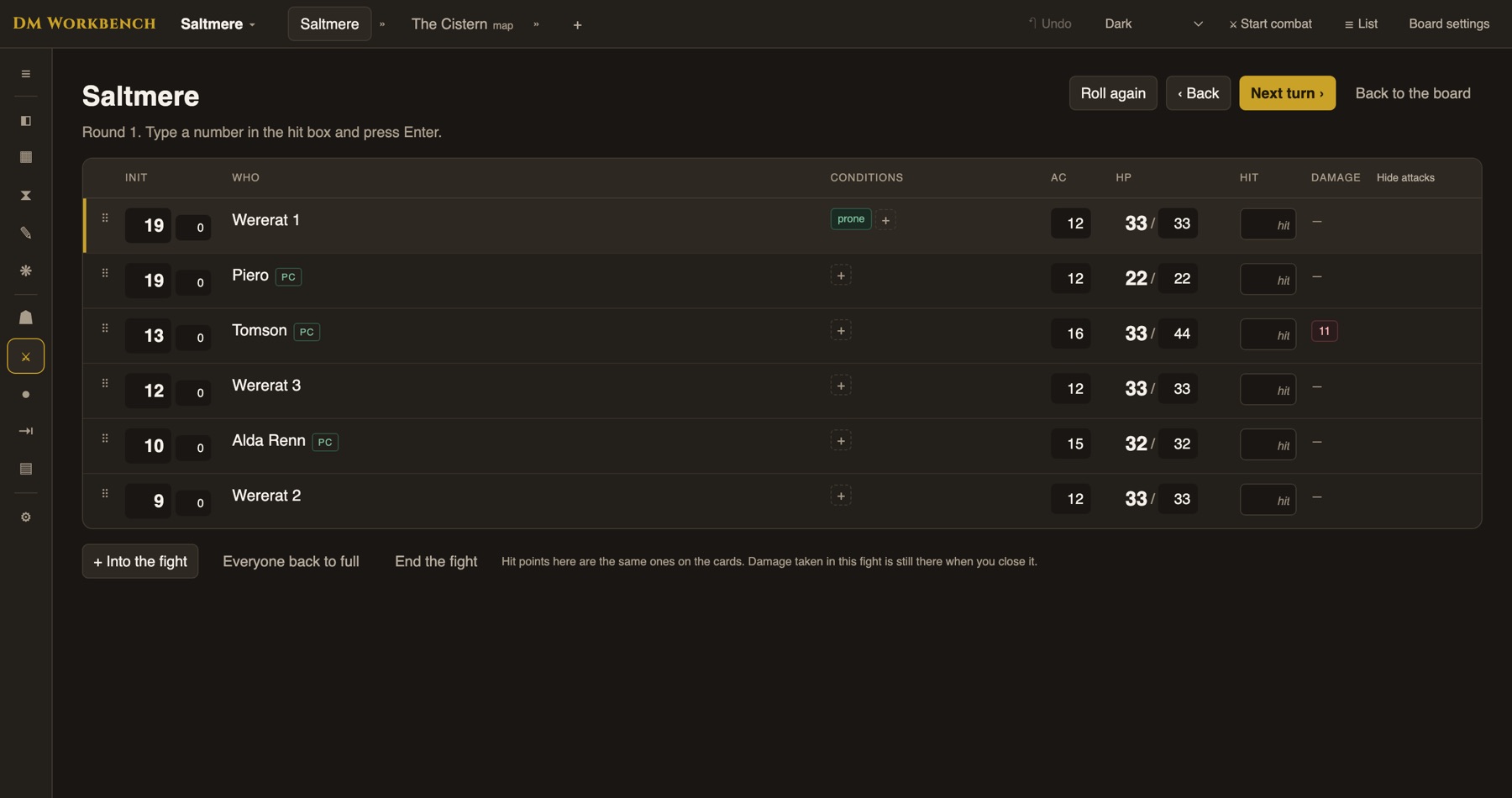
The initiative tracker mid-fight

At the table

Faster fights, less bookkeeping.

1

Damage is a logType the number you heard and the total updates. Entered the wrong number? Delete that entry and the total corrects itself.

2

Turn order keeps itselfRoll initiative once and the tracker holds the order, round after round.

3

The player’s name, next to the character’sYou call on Keenan. The tracker shows Keenan beside Brogan. Set it once on the card.

4

Change a monster mid-fightIts hit points, speed, actions and traits are on the card and editable from the canvas.

Session recording

Record the session, get the write-up.

1

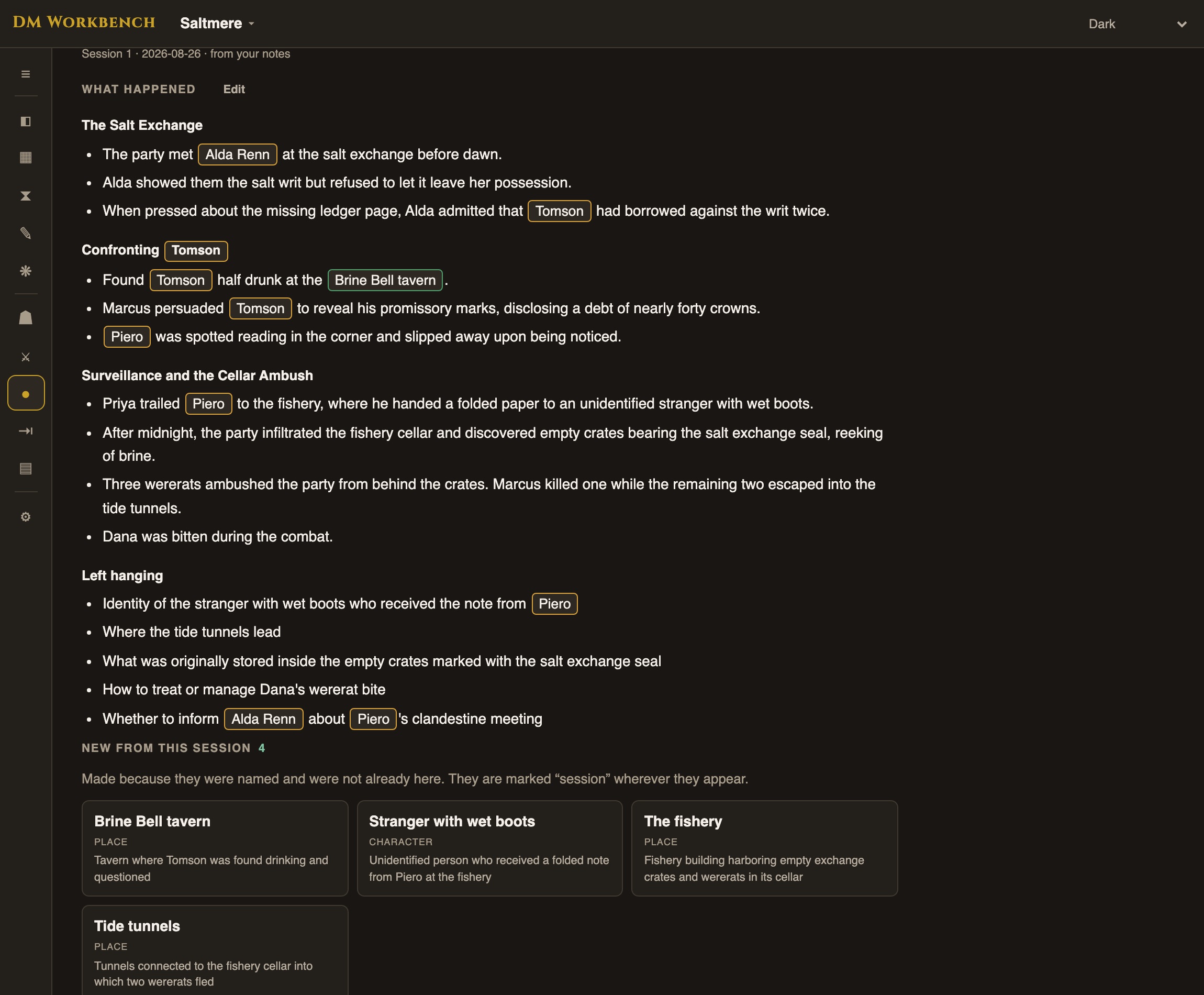
The night, organizedWhat happened in sections, and the loose ends to chase next week.

2

Names match your cardsEvery name is matched against your campaign, never invented. Anyone named for the first time comes back as a new card, marked as the session’s.

3

No recording neededPaste written notes or a transcript and get the same write-up.

4

It knows who plays whom“Keenan, it’s your turn” is written up as Brogan’s turn. The player’s name never becomes a card.

5

Game notes, keptEvery write-up is listed in Write beside your drafts, each name linked to its card. Edit it there. Type @ to link a name the reading missed.

A session write-up with matched cards

Your world keeps time

A calendar built for your world.

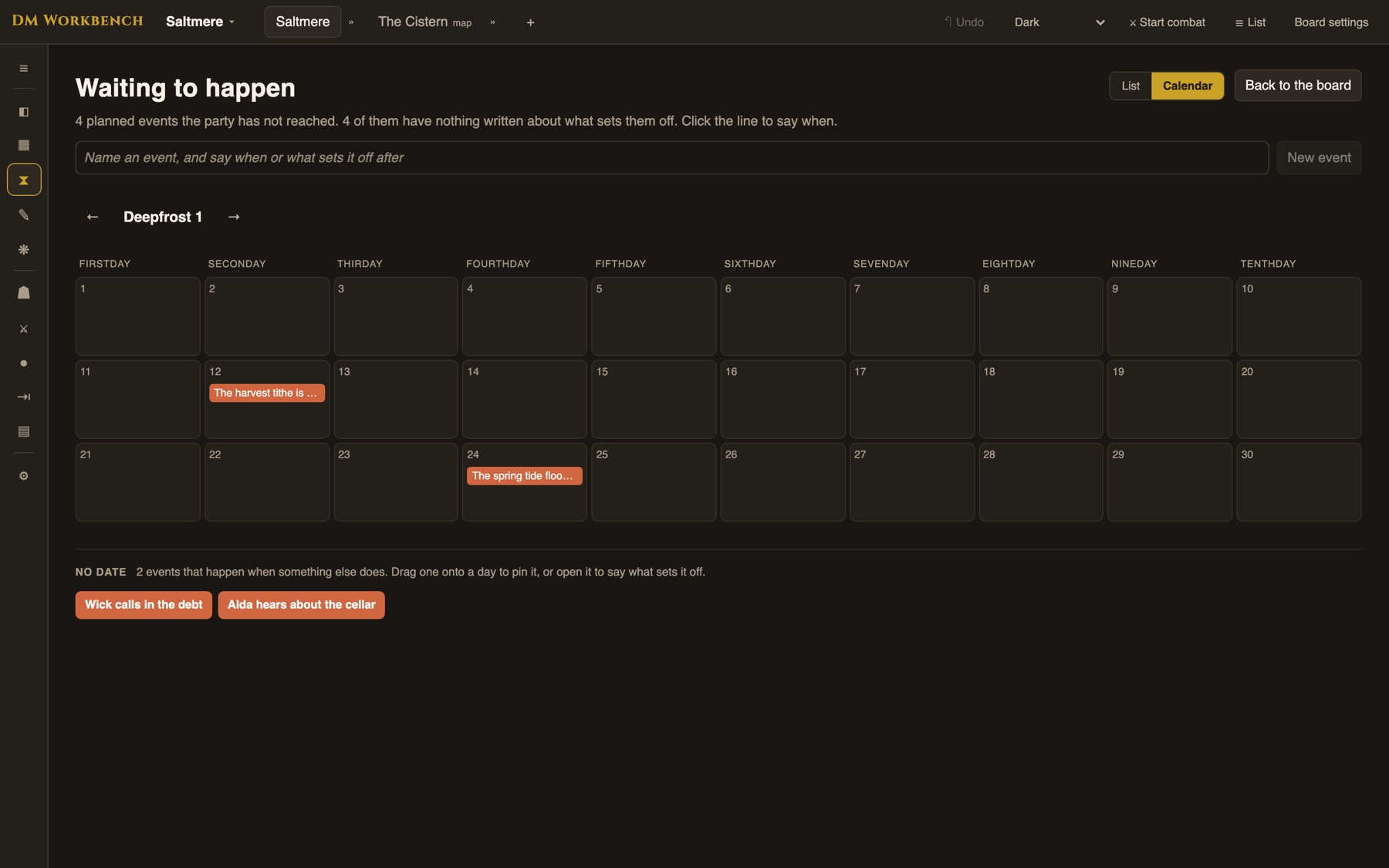
“You cannot have a meaningful campaign if strict time records are not kept.” Gary Gygax said it; the calendar keeps them for you. Use a fantasy calendar of your own creation, or start from one inspired by popular fantasy games and novels: a thirty-day twelvemonth with festival days and a ten-day week, thirteen moons of twenty-eight, ten long months of thirty-six. Events can be triggered by PC actions or placed on the calendar.

The campaign calendar with the undated tray
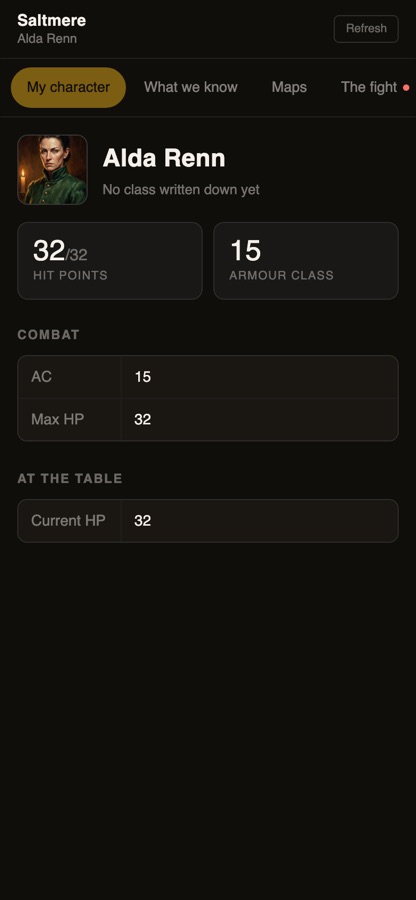
A player’s own character sheet
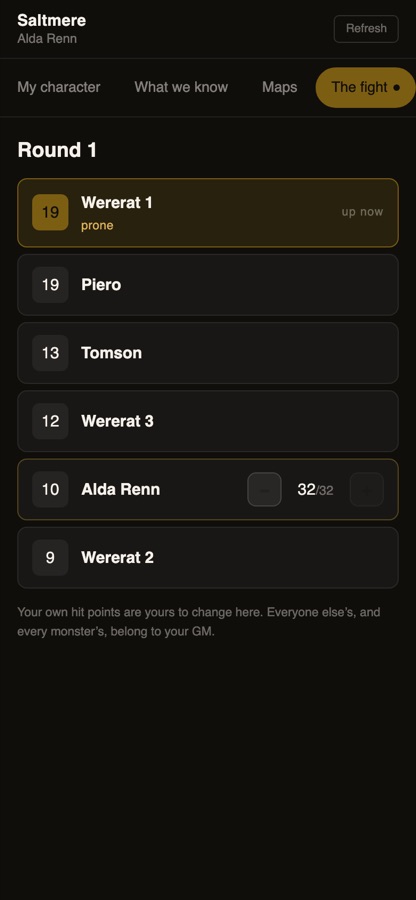
The fight, as a player sees it

The player’s phone

Every player gets a link. No account, no password.

1

Their sheet, in fullWith their hit points to manage in a fight. Nobody else’s.

2

What the party has been toldRevealed cards, maps and handouts file into their journal. Your prep notes never travel.

3

Fast on table wifiLoads while you are mid-sentence, on whatever connection the venue has.

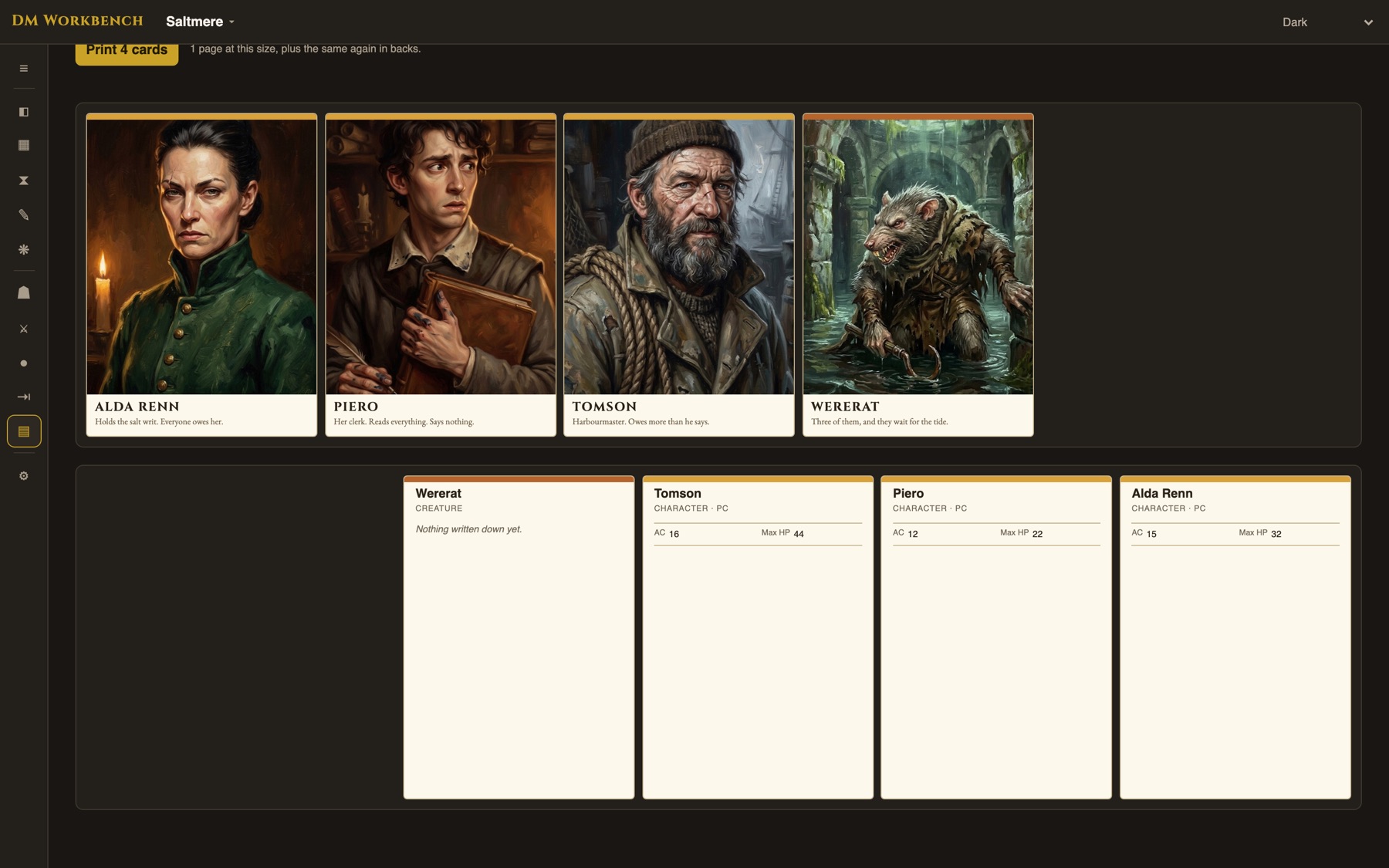
Cards you can hold

Print the deck and deal it out.

Bring your world to life with printed cards of your NPCs to show the players.

1

A page of cardsPoker, tarot, mini or index size on Letter or A4, laid out for you, with statistics and descriptions on the back.

2

Or photo printsOne image per card at 300 dpi, sized for 4 × 6, 5 × 7, 3½ × 5, wallet or 8 × 10 photo paper. Download the set and print it borderless.

Printable cards, fronts and backs